Bersama Jaya Cup
Bringing a packaging printing company's records into one system while keeping habits the team already uses, such as dot-matrix invoices and the way operators write print colours.
- Client
- Bersama Jaya Cup — food-and-beverage packaging printing, Malang
- Industry
- Packaging printing
- Our role
- Product definition, system design, and full development — web, server, and floor app
- Duration
- About 6 weeks of intensive development (June – August 2026)
- Year
- 2026
Scope at a glance
6
workspaces: Sales, Production, Master Data, Inventory, WhatsApp, Finance
68
legacy spreadsheet files migrated into the system
3
working roles on the shop floor: sales, production planning (PPIC), production
The problem
The entire operation ran on monthly spreadsheets plus one ageing point-of-sale application. The sales ledger was split by month, the print price list stood on its own, and stock for two warehouses was recorded in yet another set of files.
The starting point was recorded in 68 archived spreadsheet files, which were then used as the source for moving the data into the new system. One had a reminder column filled in by hand, with notes such as "past due".
Invoices were produced separately from order records, while production schedules remained on paper. This made job information difficult to reuse for tracking and reporting.
Constraints
- Invoices and delivery notes still had to print to an ageing dot-matrix printer on three-part carbon paper, directly, with no print dialogue. That is the hardware sitting on the cashier's desk, not a technical preference we could design around.
- The company also takes work where the customer supplies their own cups, so a single order can be mixed: cups from the customer, lids bought from the company.
- One order line is often split across several operators in a day — 20,000 cups might become 3,000 + 5,000 + 5,000 + 4,000 + 3,000.
- Cost and gross-profit figures must not be visible to most employees.
Approach
The dot-matrix printout is built separately from the on-screen layout
A 9-pin dot-matrix printer prints coloured areas as a speckle of dots that comes out dirty and barely legible on the third carbon sheet. So the print view does not simply reuse the screen styling — it is built separately: pure black, no colour blocks. All of its layout measurements — margins, type size, element positions — are stored as database settings, so fitting the printout to the paper is done on a settings page rather than in a new release.
Invoice formatting deliberately mirrors the old system
Layout and number formatting on invoices follow the previous point-of-sale application. The aim was to reduce what cashiers needed to relearn while moving to the new system.
The print-colour field accepts the different ways operators write it
The number of print colours drives a surcharge, and operators may write it in several ways — such as "plain", "full colour", "2", "2 colours", or "red + black". The system accepts these variations, then standardises the colour wording when saving so reports remain consistent.
Material source is chosen per order line, not per order
A single order is often mixed: the customer brings their own cups, but the lids are bought from the company. So every order line has its own material-source choice. A line using the customer's material carries no cup cost and is charged the printing rate only, so price and cost follow the material actually used.
Stock may go negative (below zero), with a warning
Material can sometimes be physically available while the stock record has not yet been updated. To let work continue while the difference is reviewed, the system warns rather than immediately blocking production.
Cost figures are removed on the server before sending, not just hidden on the screen
For users who are not allowed to see them, cost and gross-profit data are removed from what the server sends to the device. Hiding them in the interface alone would mean the numbers still travel to an employee's device, visible to anyone who knows how to open the browser's developer tools.
Screens
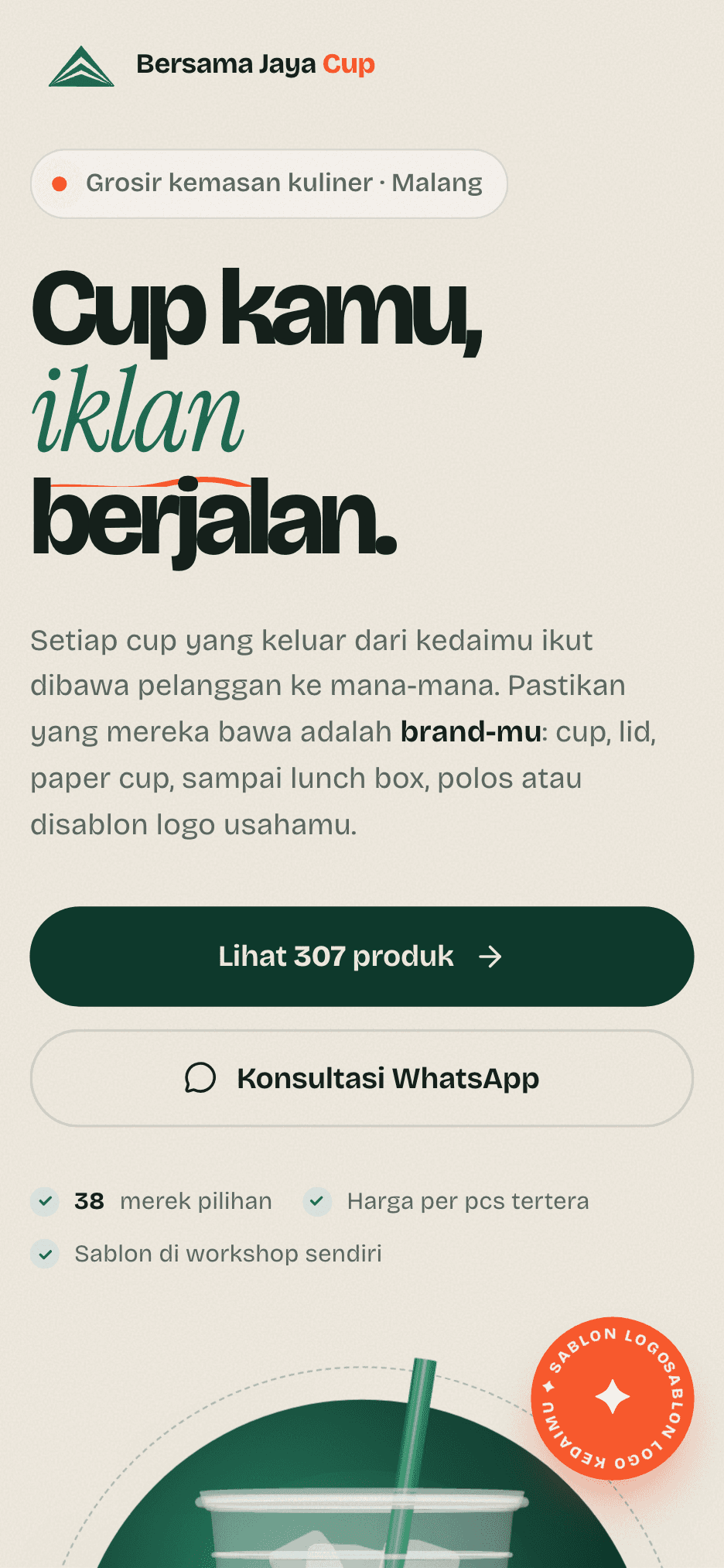
Landing page
Landing page home + Landing page on mobile
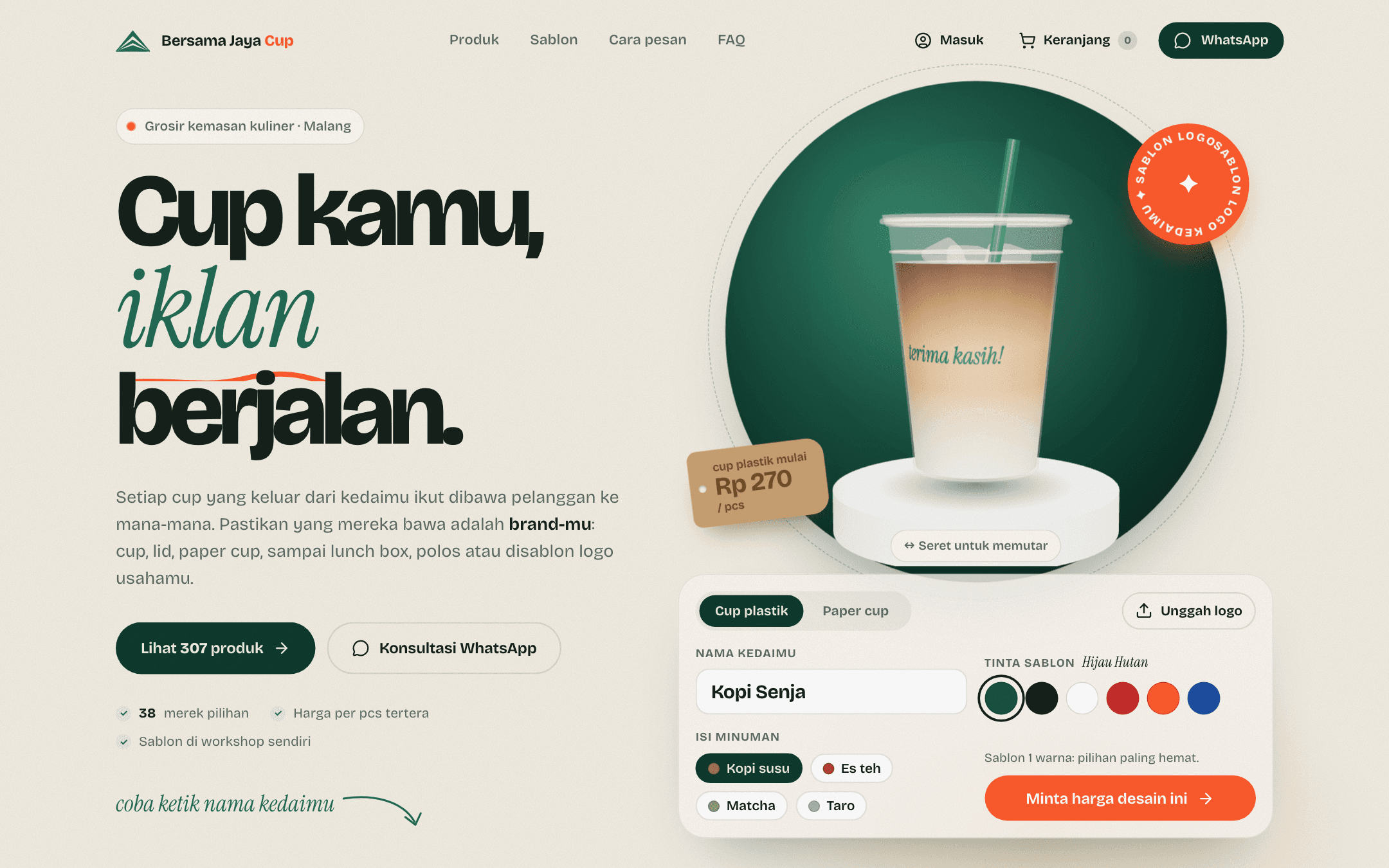
The bersamajayacup.com home page already works as a sales tool: visitors type their shop's name, pick an ink colour, and see the printed cup in 3D before asking for a price over WhatsApp.
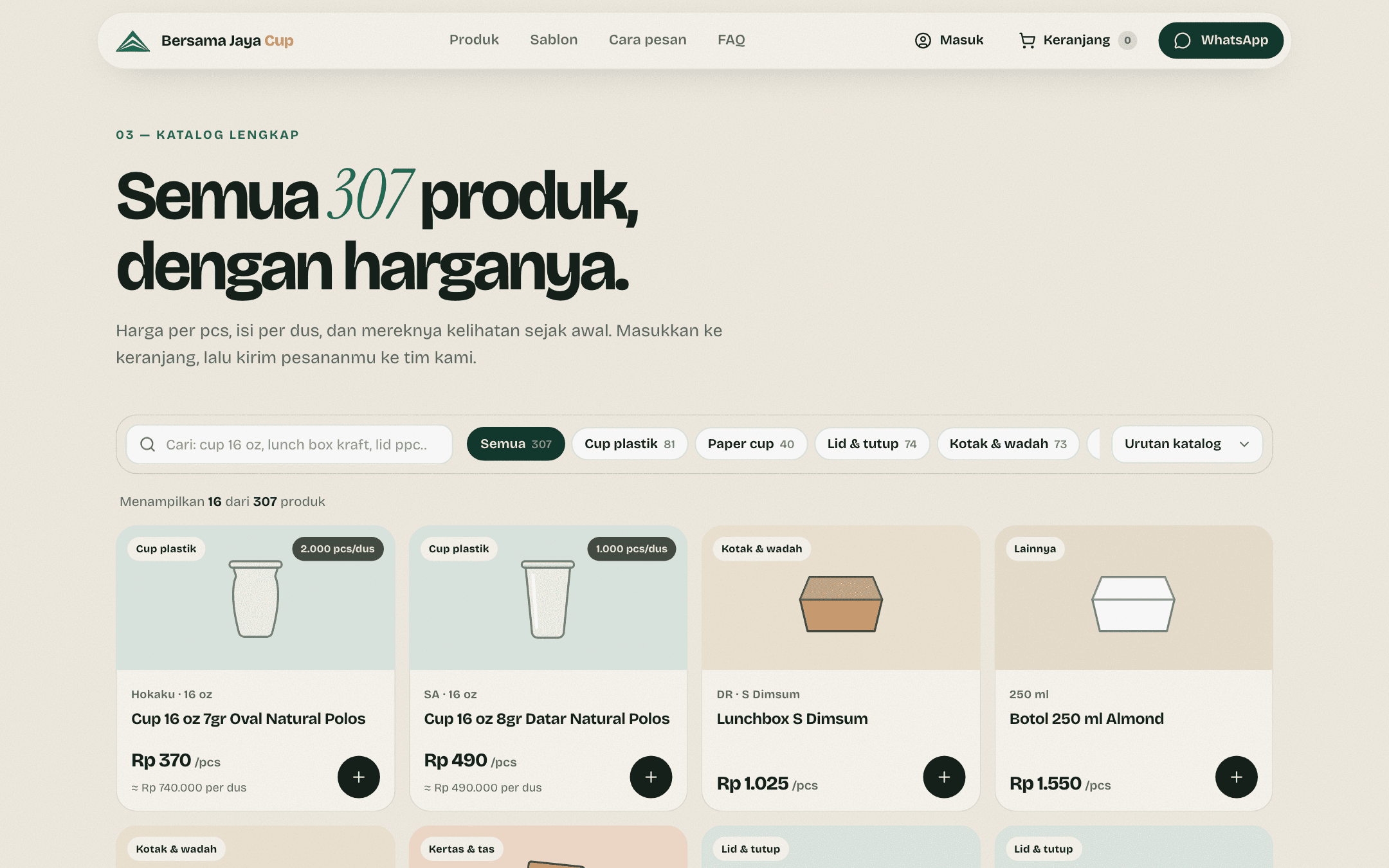
Landing page
Public catalogue with prices
The public catalogue reads from the same server as the order system, and the site stays connected to it in realtime. So a product or price changed in the office appears on the site straight away, without waiting for a new release.
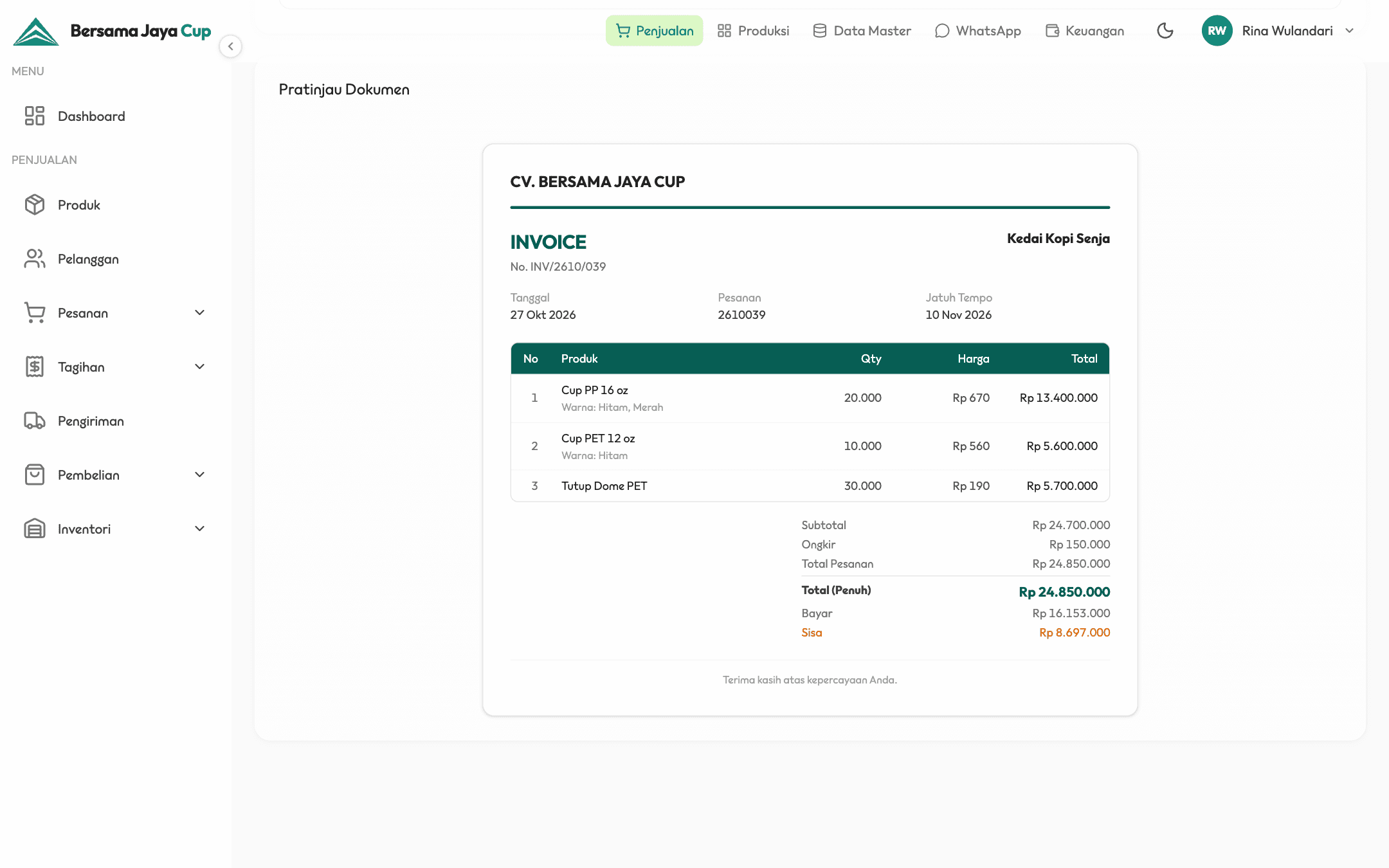
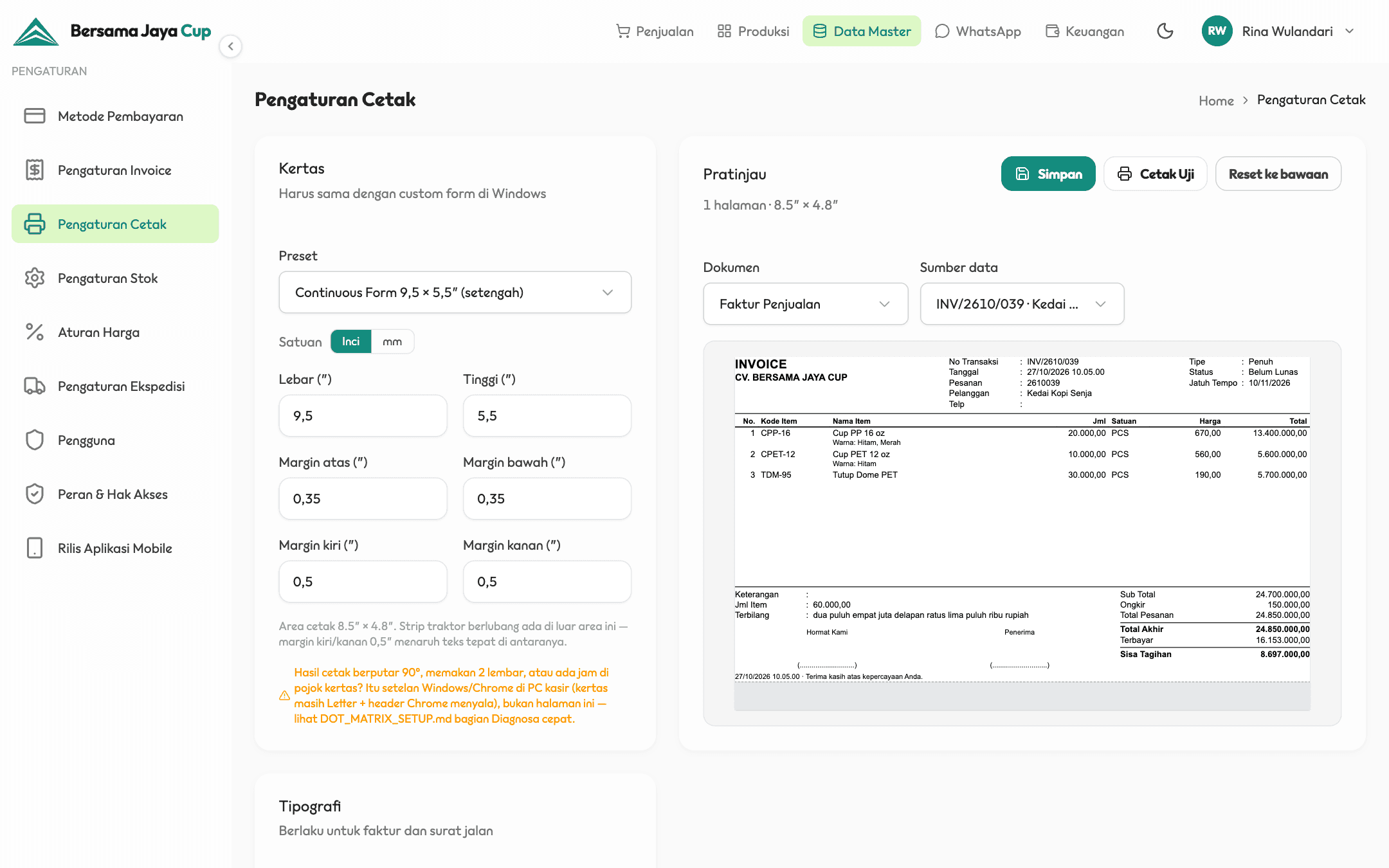
Office web app
On-screen invoice + Dot-matrix print preview
The same invoice has two versions. On screen it can use colour; the printed version is built separately — pure black, no colour blocks — so it stays legible on the third carbon sheet of a dot-matrix printer. Paper size and margins are stored as settings, so fitting the printout to the paper is done on this page rather than in a new release.
Open full size· On-screen invoiceOpen full size· Dot-matrix print preview
Office web app
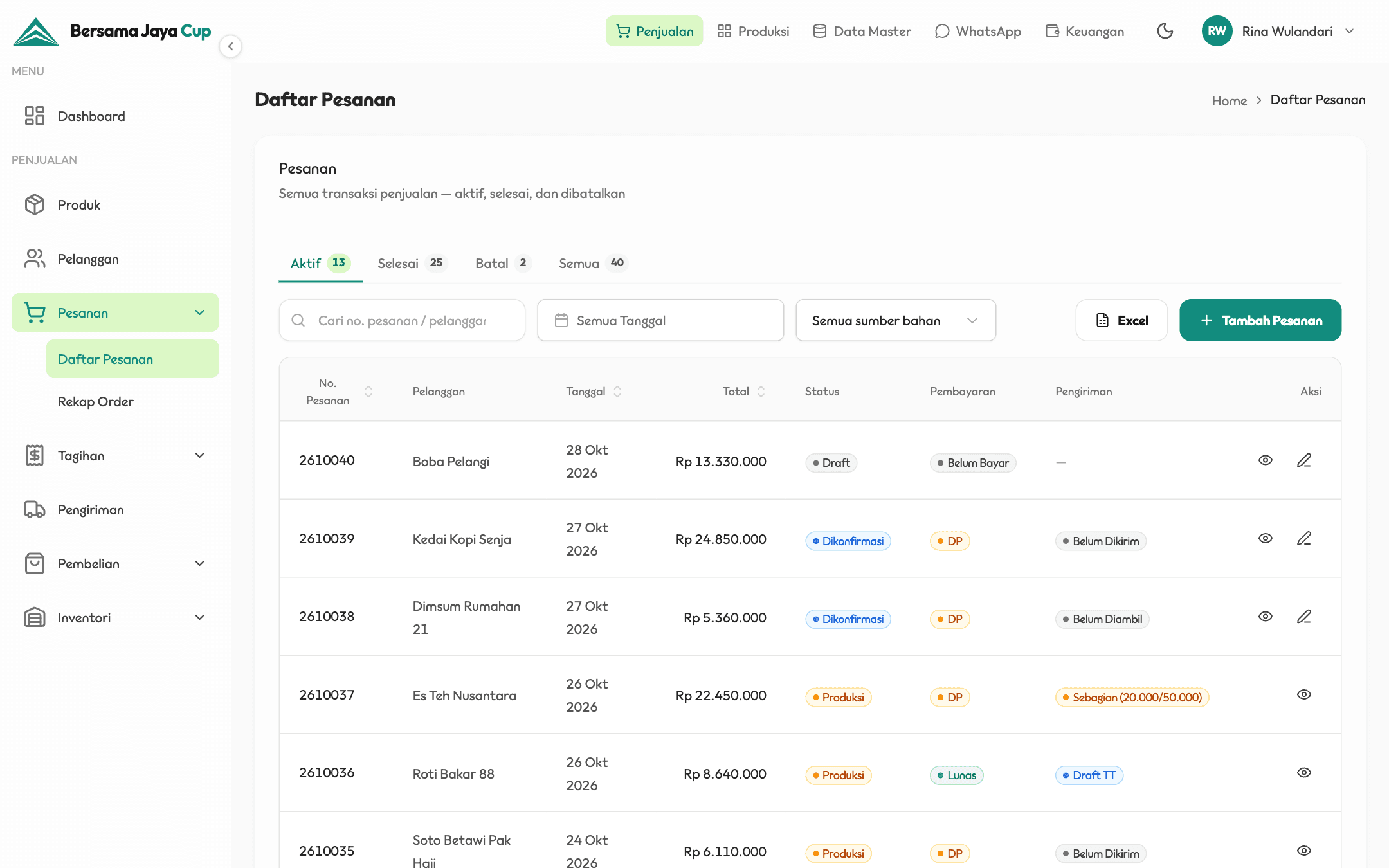
Order list
In the office web app, order, payment, and delivery status each have their own column. An order with a deposit paid but only partly delivered reads straight off the list, without opening each one.
Office web app
Owner dashboard
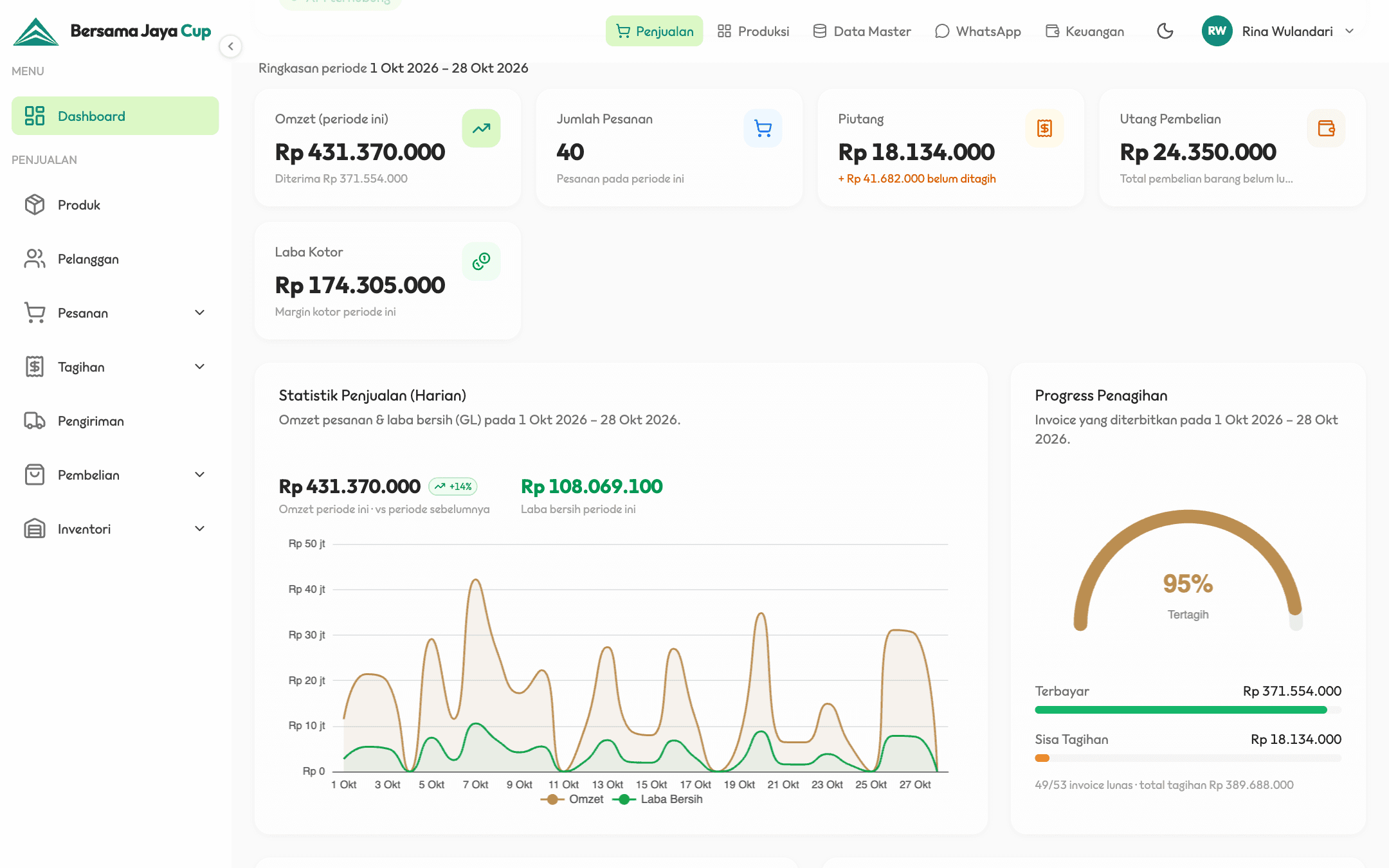
The owner dashboard summarises revenue, receivables, purchase payables, and gross profit for the period, with a daily chart of revenue and net profit taken straight from the general ledger (the main accounting record), not recalculated separately.
Print schedule by operator
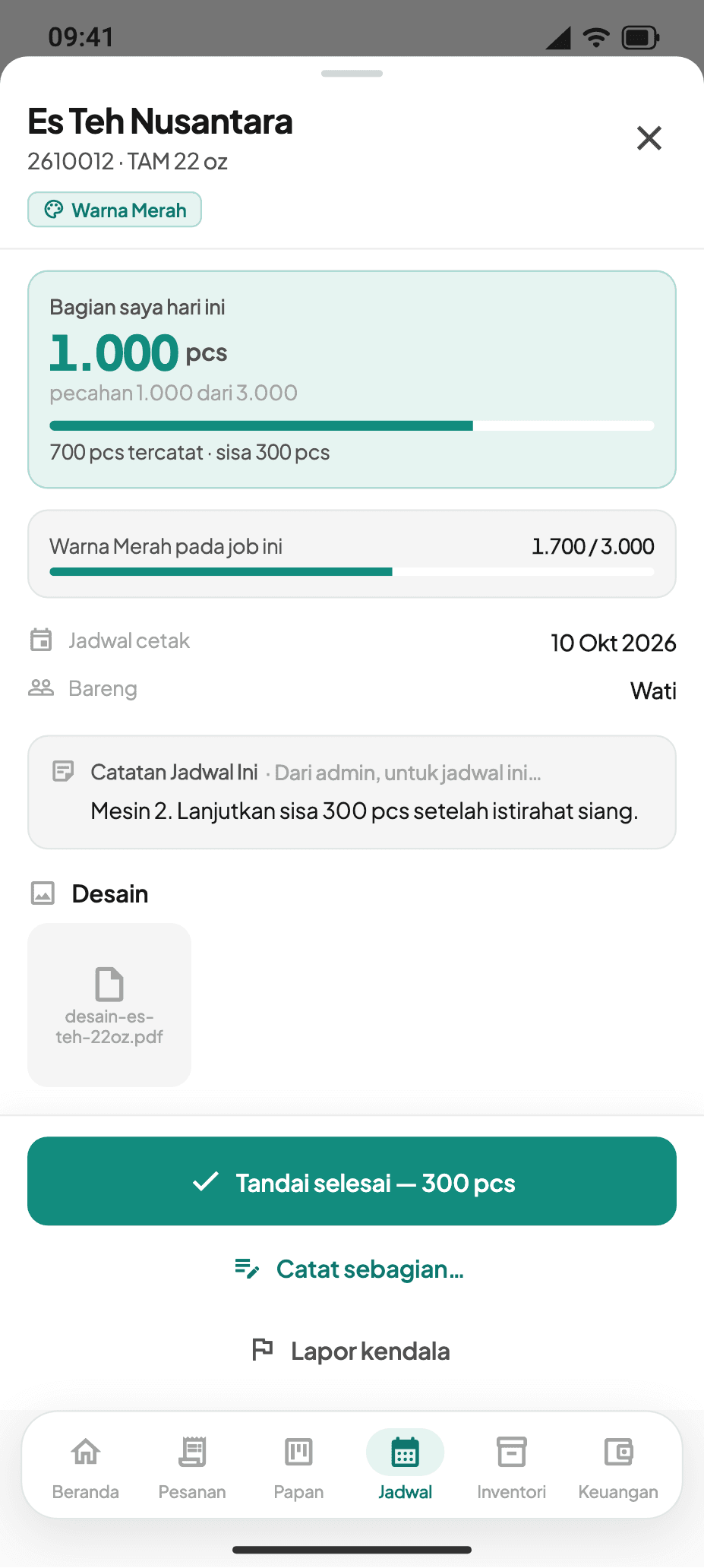
An operator's share today
Phone app
Print schedule by operator + An operator's share today
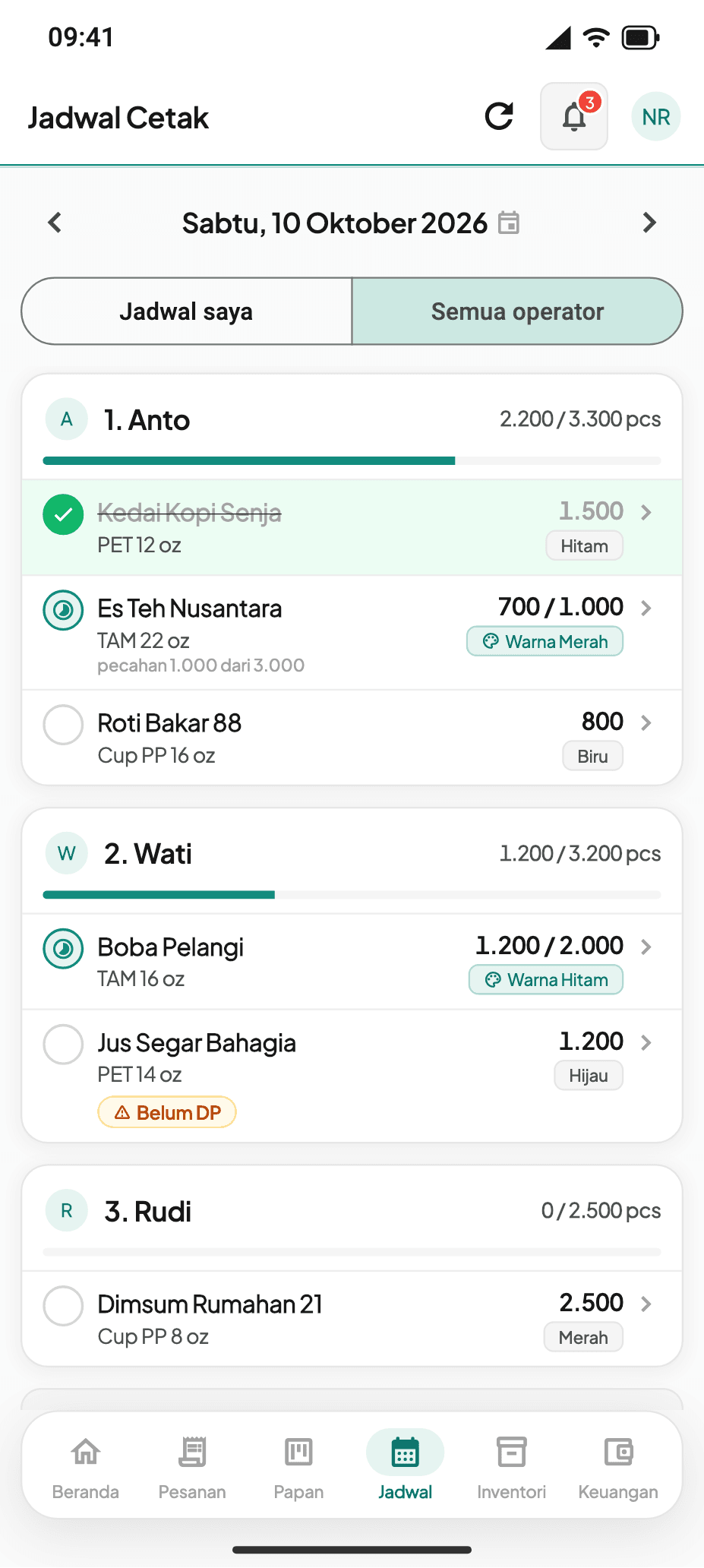
The daily print schedule is split by operator, including portions of one large order. An operator who has printed 700 of 1,000 logs the partial run, and the remaining 300 stay on their list for that day — neither lost nor marked done.
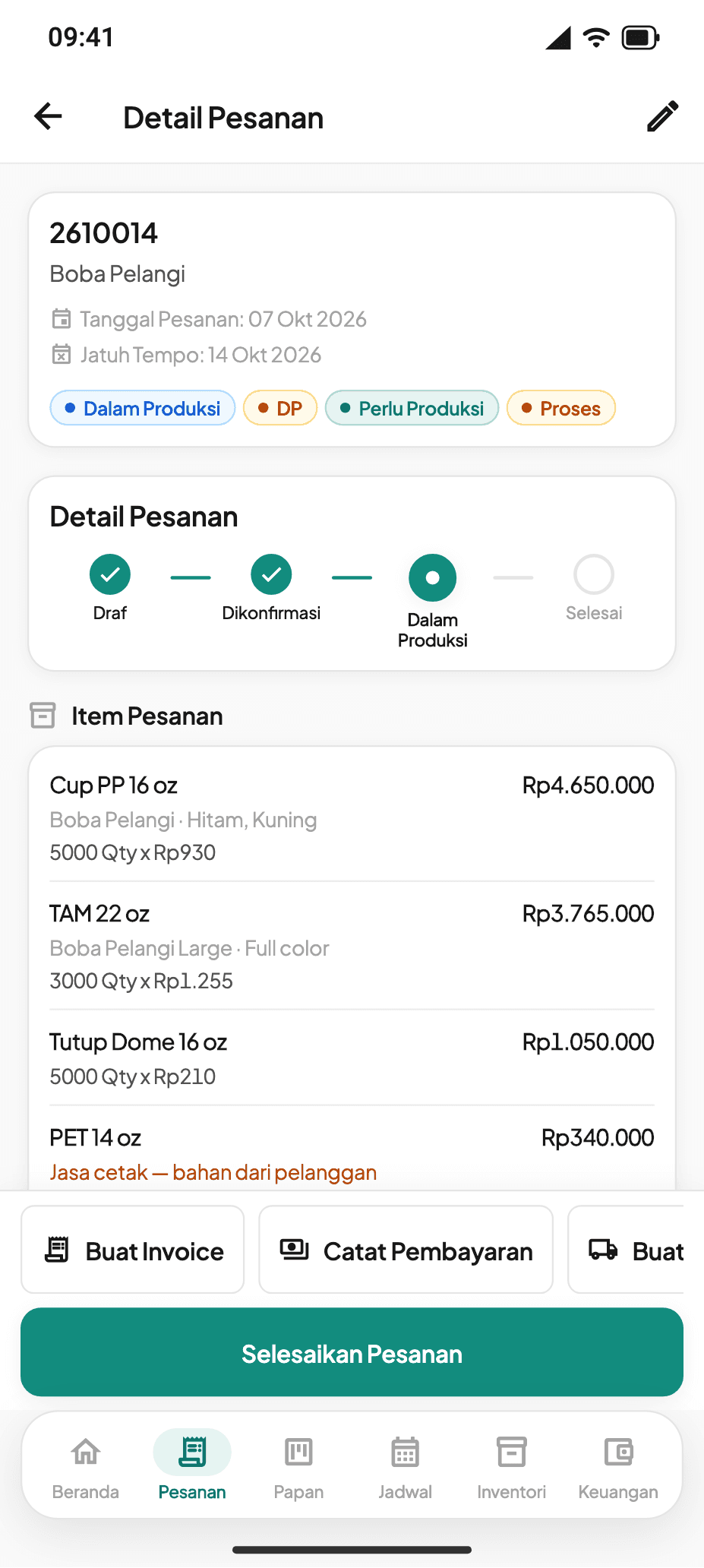
Order detail
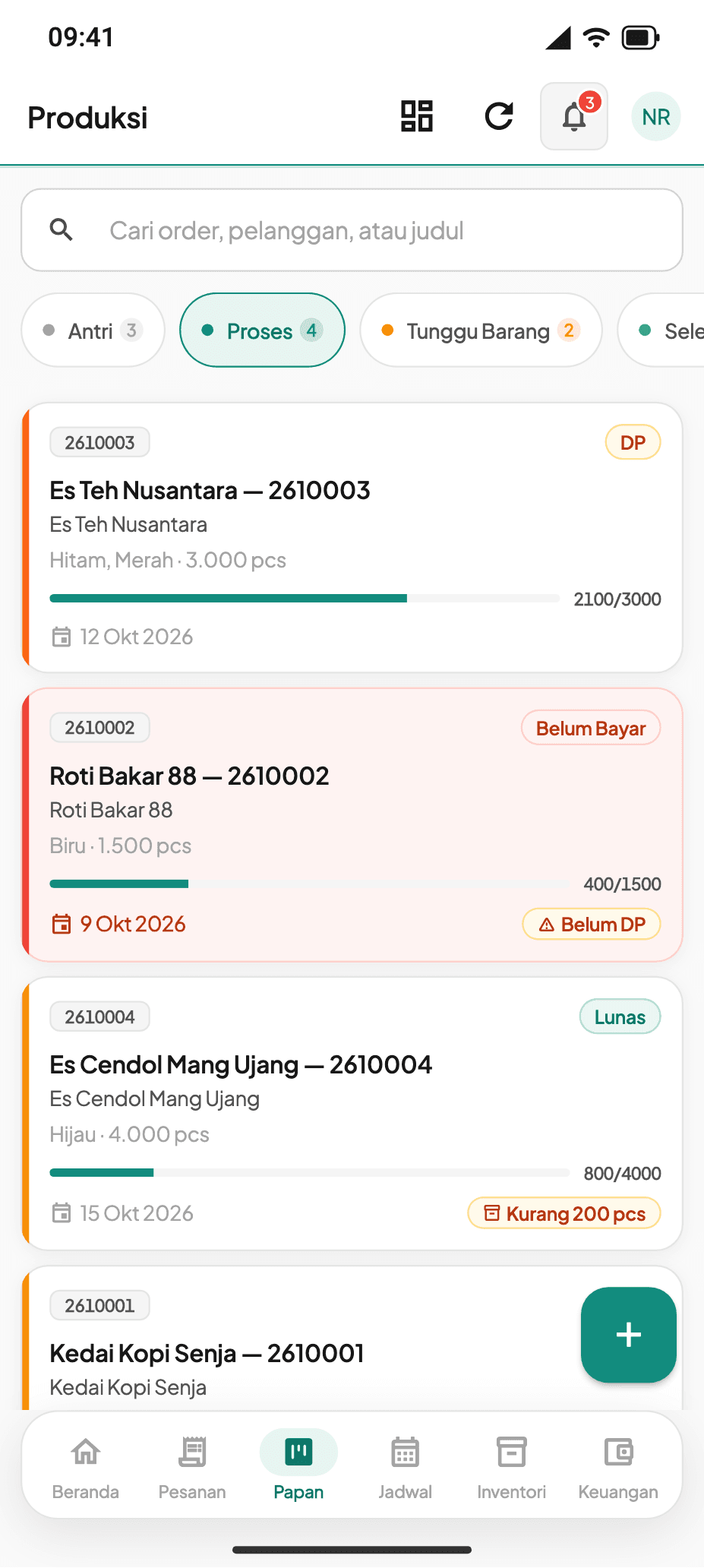
Production board
Phone app
Order detail + Production board
Order, payment, and production status sit side by side on every order, and each card on the production board carries its payment flag — no deposit, deposit, or paid. Where a job stands can be read without asking whoever is handling it.
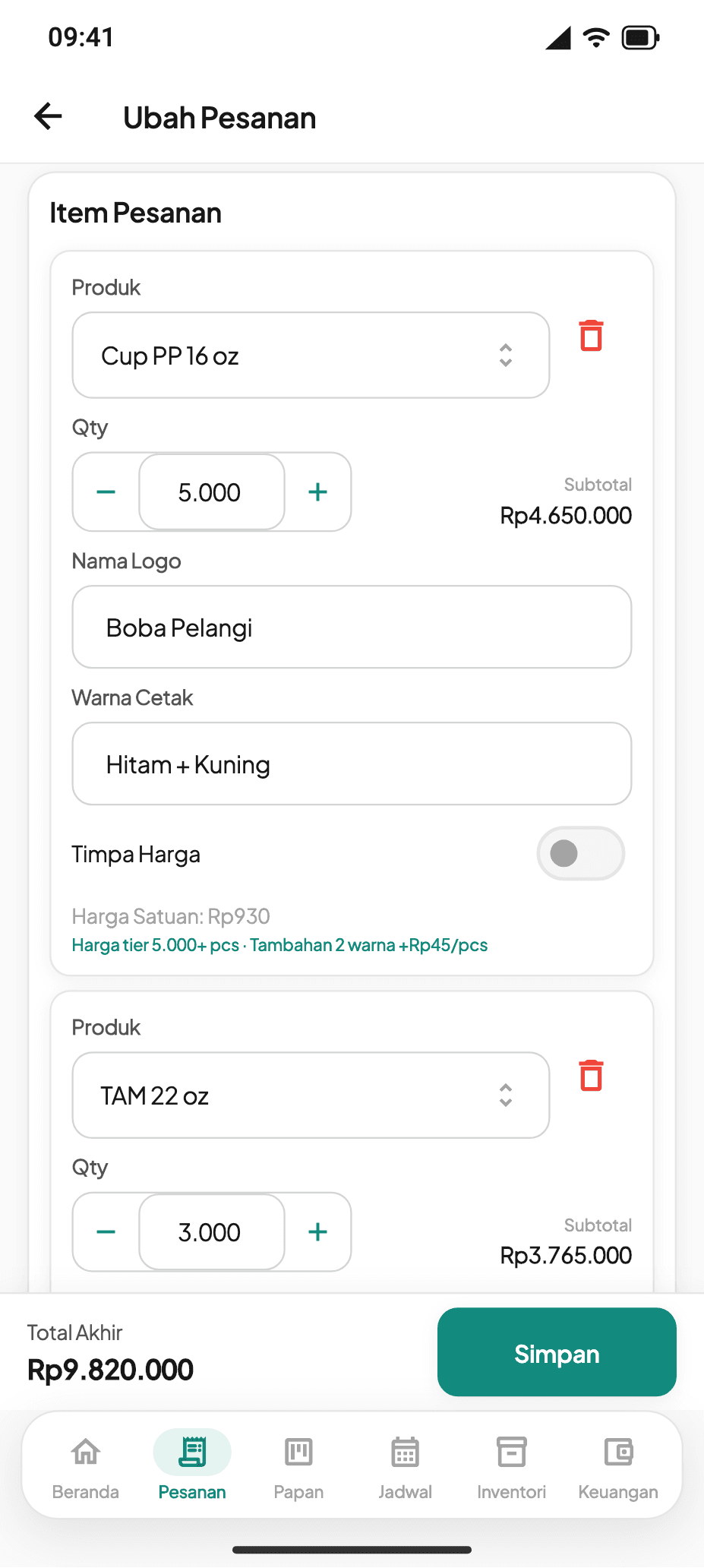
Items & print colours
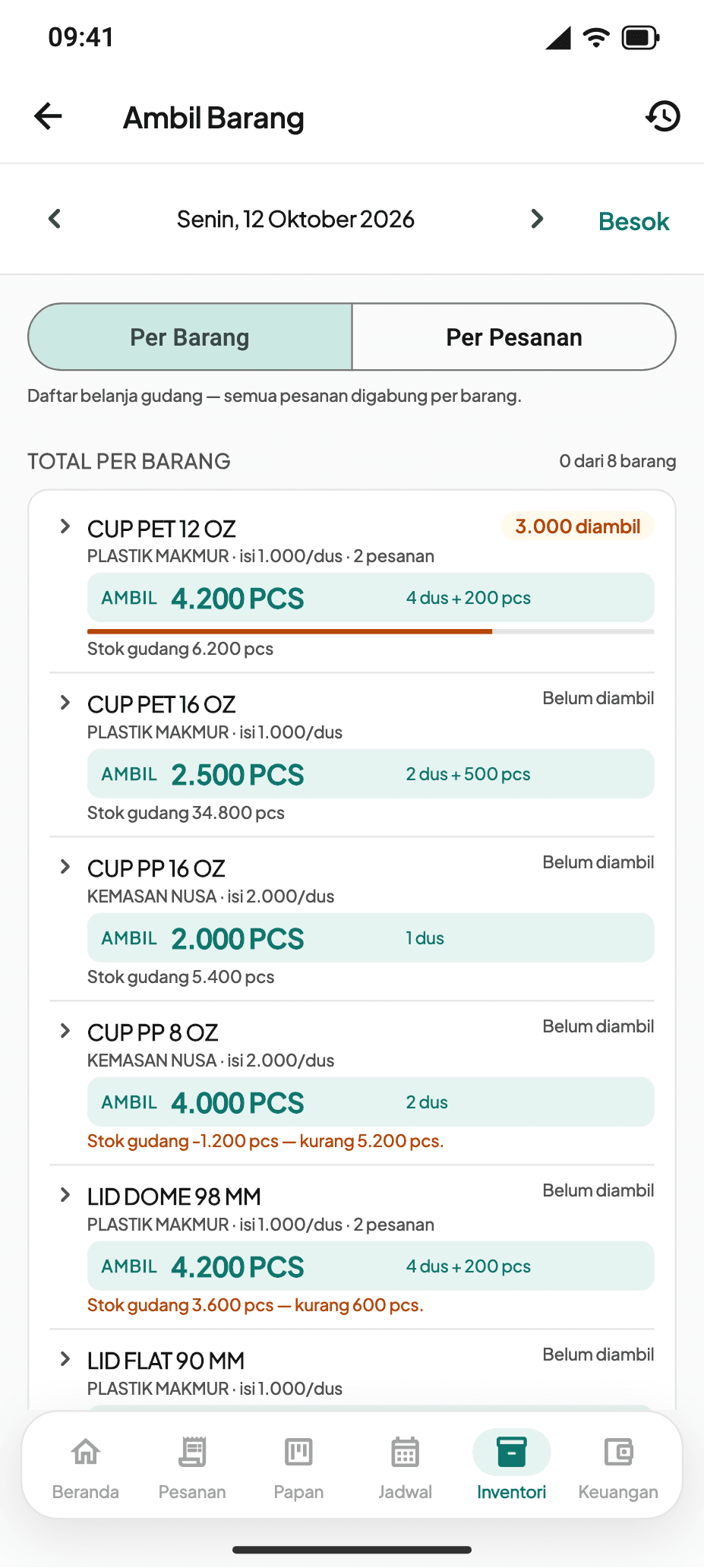
Warehouse pick list
Phone app
Items & print colours + Warehouse pick list
Print colours are written the way operators already write them — "Hitam + Kuning" (black + yellow) reads as two colours and adds the per-piece surcharge straight away. Stock for tomorrow's orders is merged into one pick list; negative stock is flagged but does not block the work.
Sales home
Phone app
Sales home
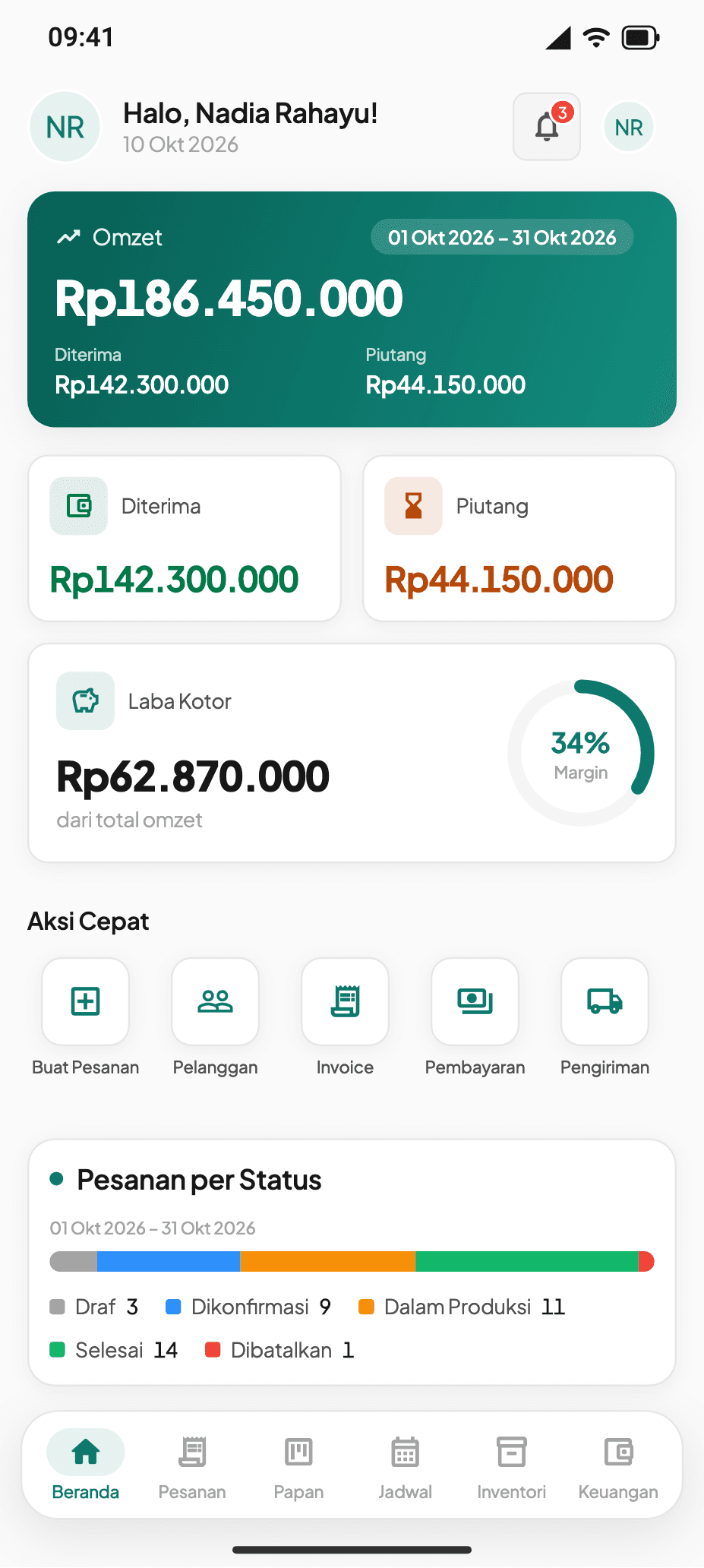
The owner reads this month's revenue, receivables, and gross profit from a phone. For users who are not allowed to see them, cost and profit figures are removed on the server before the data is sent to the phone — not merely hidden on screen.
Outcomes we observed
The path from order to settled payment now runs in one flow: order → deposit or full invoice → payment → delivery note, with four statuses shown side by side so how far along any job is can be read without asking the person handling it.
The daily per-operator print schedule that used to live on paper is now kept in the system, including partial completion — an operator who has printed 700 of 1,000 still has 300 left on their list for that day.
The monthly job recap is now updated automatically when a production card reaches completion.
An honest note: we hold no before-and-after data from the client, so this page makes no claims about time or cost saved.
Other projects

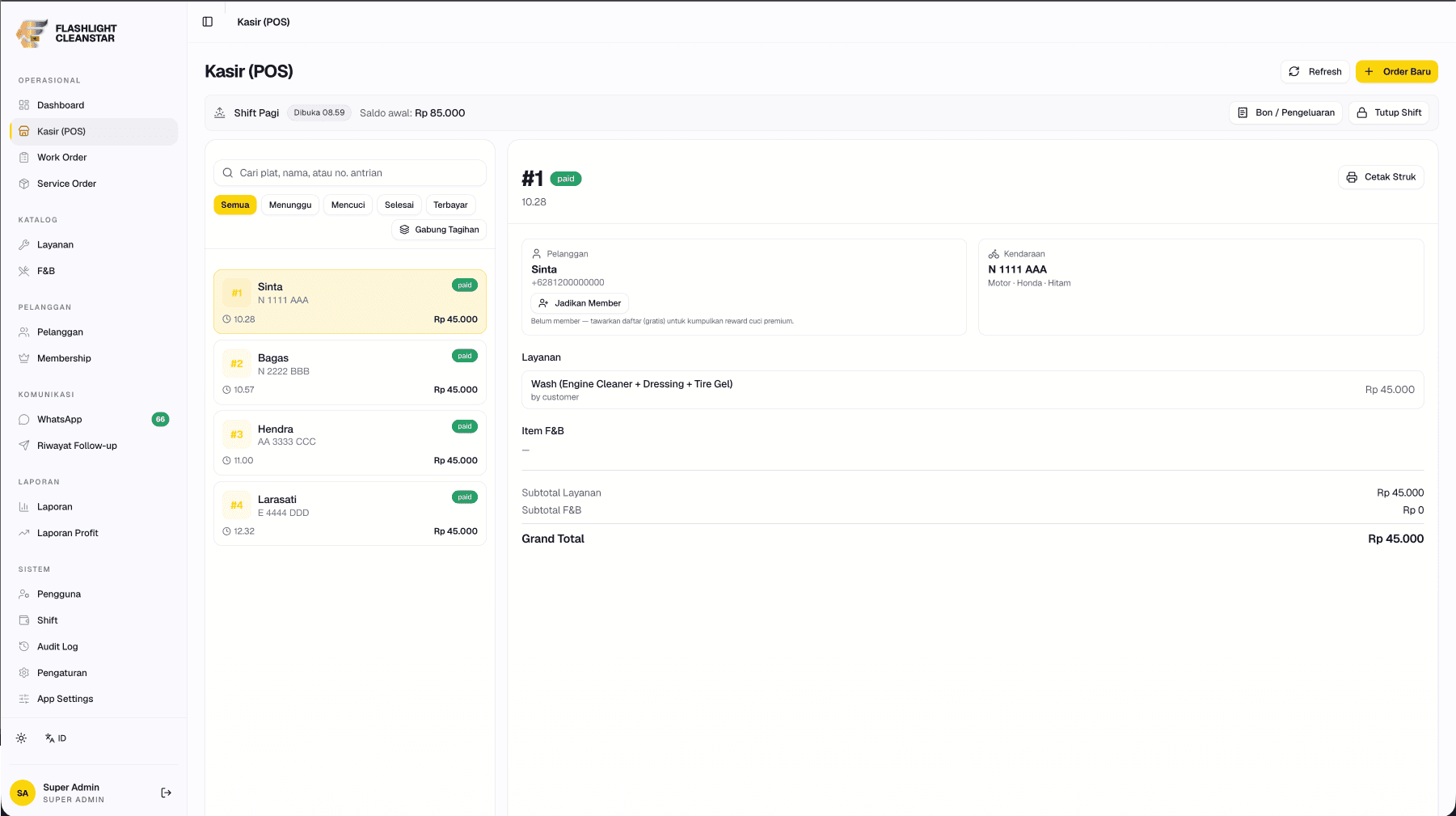

Flashlight Cleanstar
2026Digitising a motorcycle wash's whole workflow, including a self-service tablet in the waiting room that is not given access to set prices.
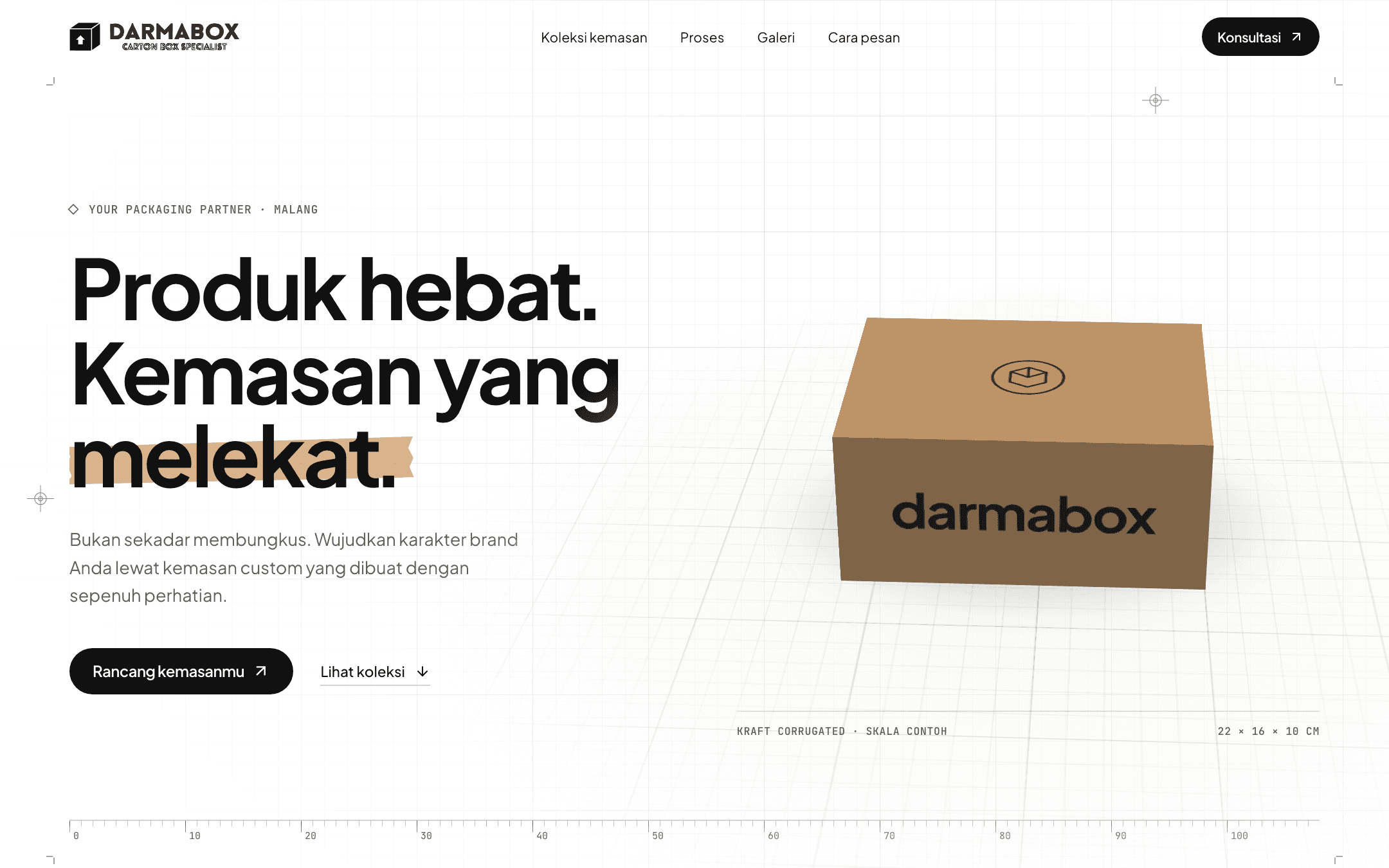
Darmabox
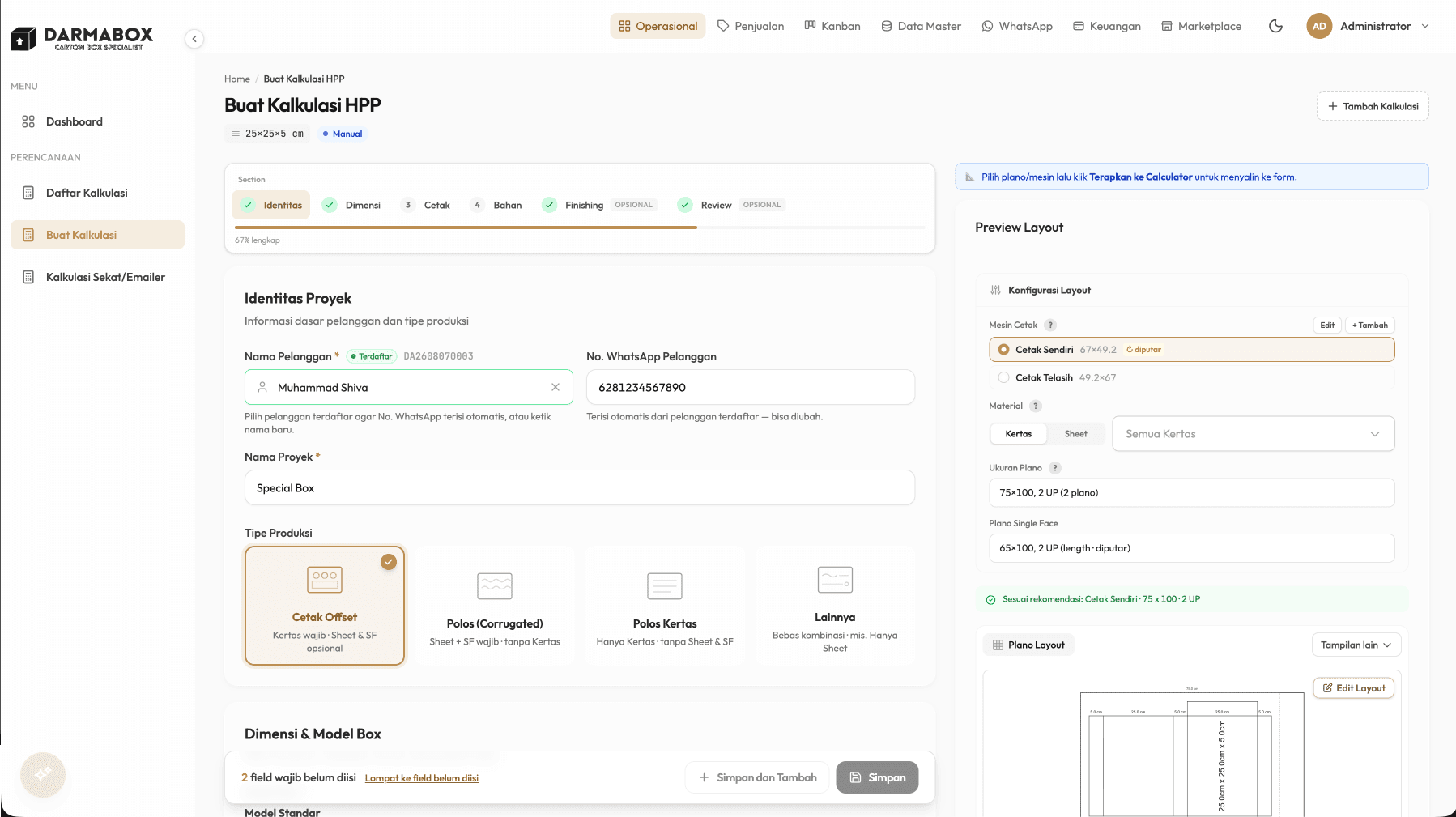
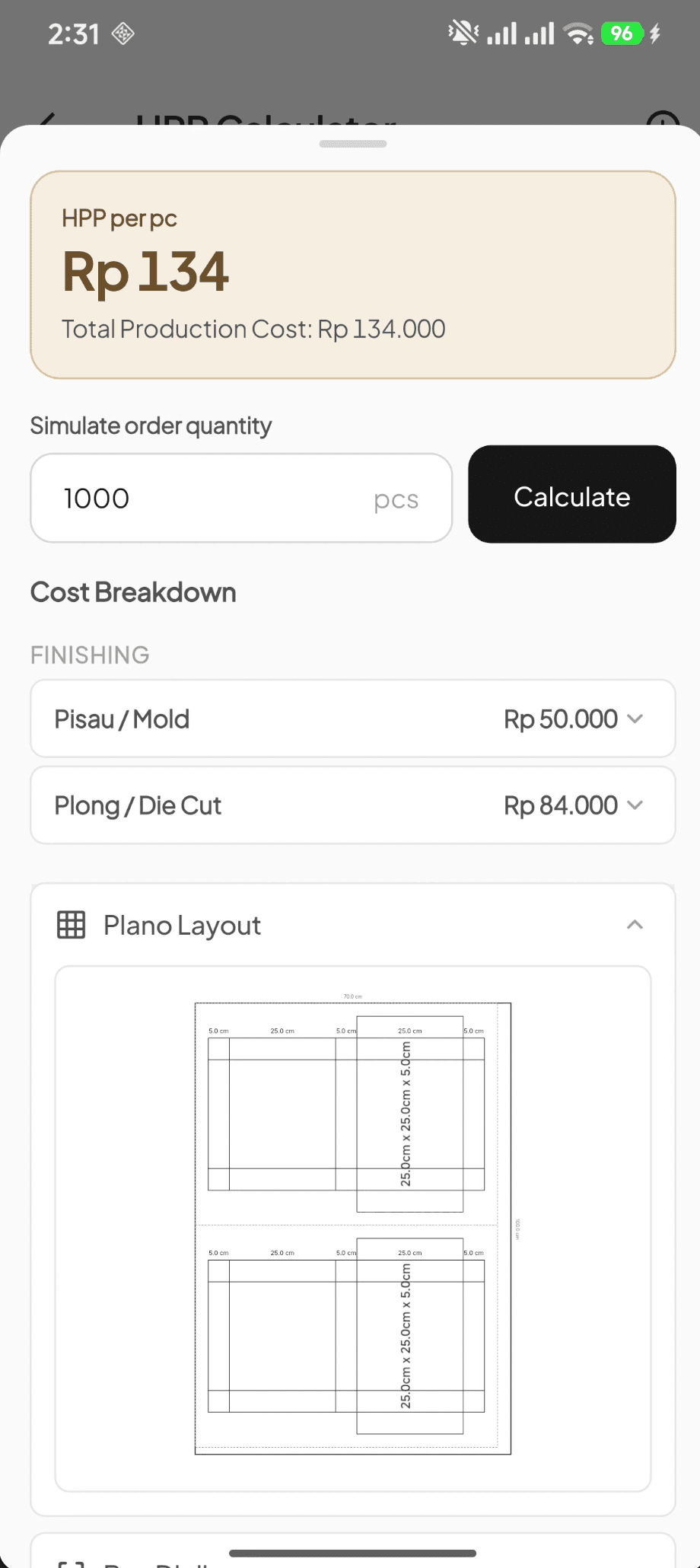
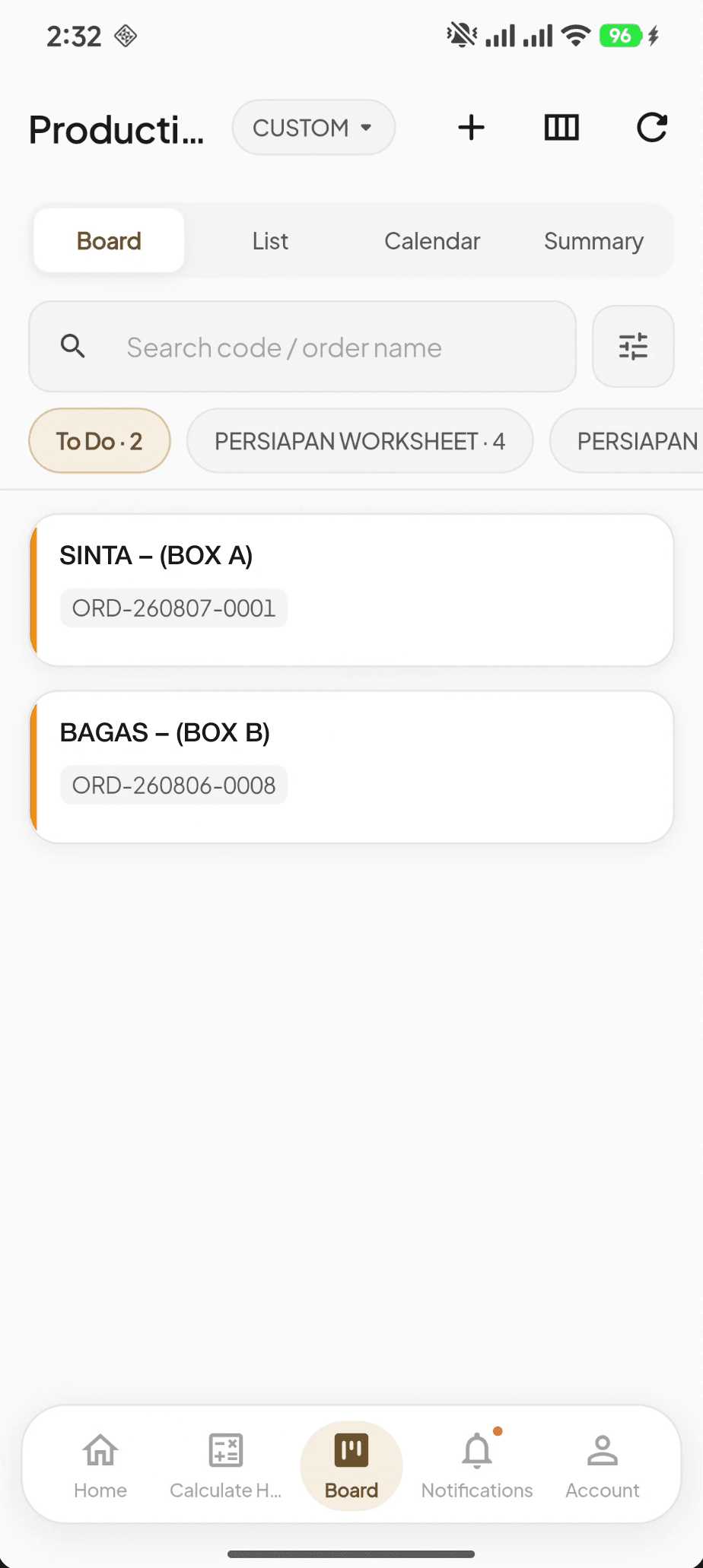
2026Consolidating work that used to live across several disconnected apps into one system — from costing a custom box to accounting entries that are created automatically.
Get in touch / →
Working through a similar need?
Tell us about the situation. Together, we can map the need, possible approaches, and an initial scope.
We usually reply within one business day.